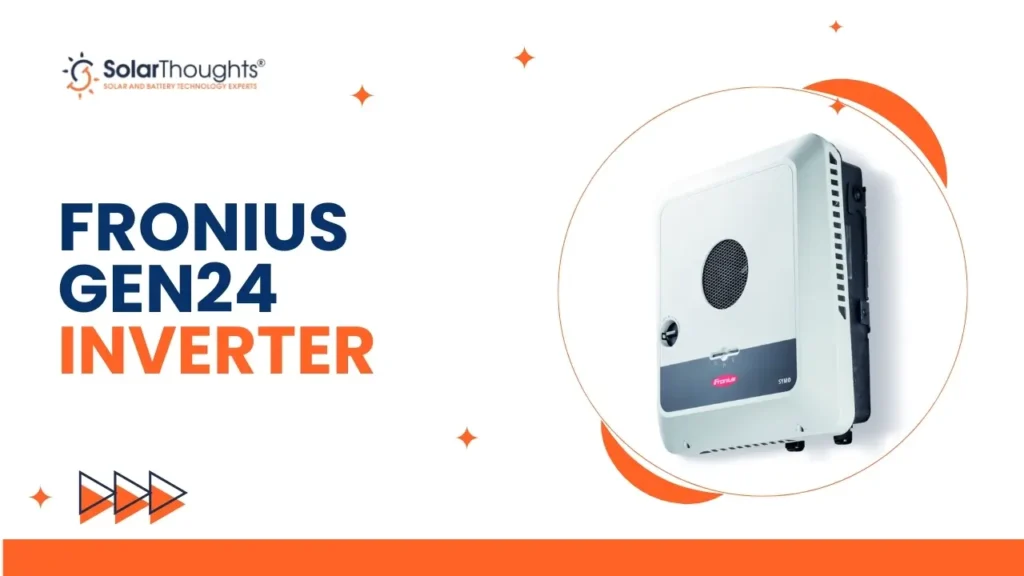
If you’ve installed a Fronius GEN24 inverter with a compatible battery (such as BYD or Fronius Reserva), you own a powerful backup system. But having the hardware is only half the battle. You need to know how to use it—especially in case of storms or planned grid outages.
Table of Contents
ToggleThis guide by SolarThoughts® gives you quick, essential tips for using your inverter’s backup features, managing your battery’s charge, preparing for a blackout, and even taking advantage of free grid-power windows. Mastering these settings will help you get the most out of your system and ensure you’re prepared for any loss of power.
Preparing Your Fronius Battery for an Outage
When you know a major storm or grid maintenance outage is coming, it pays to charge your battery to 100 %. The Fronius system gives you two main ways to prepare:
- Quick temporary 100% charge via the SolarWeb app.
- Permanent reserve capacity setting in the inverter settings.
Using the SolarWeb App for Quick Control
Steps:
- Open the Fronius SolarWeb app.
- At the bottom of the screen, tap Start under Battery Control.
- This forces the battery to charge to 100% (via solar + grid if needed) and locks that for 24 hours.
- After 24 hours, it returns to normal mode. If the outage extends, you’ll need to press Start again.
- If the threat passes early, you can cancel the mode to resume normal use.
Setting a Permanent Battery Reserve
If you want a long-term backup strategy:
- Log in to your SolarWeb account through a web browser.
- Go to Settings → Components.
- Find your data source (often labelled “Pilot E” or similar).
- Click three dots → Device Settings → Web Interface.
- Navigate to Energy Management → Battery Management → SOC Settings.
- Set the Reserve Capacity to the percentage you want reserved for blackouts.
- Example: setting 80% means if your battery is 20 kWh, ~16 kWh is reserved, ~4 kWh remains for daily use.
- Example: setting 80% means if your battery is 20 kWh, ~16 kWh is reserved, ~4 kWh remains for daily use.
- Save your changes.
This is especially useful during Queensland’s storm season or if you have a large battery system and want to guarantee backup energy.
“Armageddon Training”: Simulating a Blackout
The best way to feel confident is to practice a blackout. Here’s how:
- On a weekend, go to your switchboard.
- Turn off the main breaker (simulate grid outage).
- Wait ~10 seconds while the Fronius system detects the outage and switches to backup mode.
- Check that your essential circuits (lights, fridge, internet) are working.
- Note what’s not backed up (pool pump, hot water, large air-con).
Understanding Single-Phase Power Limits
Typical single-phase home: 10 kW inverter, ~15 kWh battery → discharge/charge limit roughly 6 kW.
You rarely trip under normal loads. But heavy combination loads (hot water element ~3.6 kW + toaster/hair dryer + oven) can push you over the limit.
If Your Inverter Trips
- Turn off the heavy load items immediately.
- Wait for the inverter to auto-restart (~30 seconds).
- If it repeatedly trips, you may need a manual reset: shut the inverter off, then on, or hold the small white button for ~5 seconds.
- Avoid repeatedly hitting the limit – it reduces backup reliability.
Three-Phase Inverter Backup Limits
For homes with three-phase backup:
- 6 kW/8 kW/10 kW models: ~3.68 kW per phase.
- 12 kW model: ~4.2 kW per phase.
Thus, placing a 3.6 kW hot water load on one phase may hit that phase’s limit. Backup circuits must be chosen carefully: lights, kitchen power points, and small split-system air-con. Avoid large loads like pool heat pumps, hot water, and large ducted air-con.
Upcoming Upgrade: Fronius Verto Plus
If you’re planning a major system or three-phase home, Fronius is releasing the Verto Plus series (~2026) with much higher per-phase backup capability (e.g., 7 kW–11 kW per phase). Worth considering a future upgrade.
Charging Your Battery for Free with Time-of-Use Plans
Here’s a smart strategy: charge your battery from the grid when power is low or even negative price (due to heavy solar midday). Many time-of-use plans offer free/very cheap electricity between set windows (e.g., 11:00 a.m.–2:00 p.m.). Use the Fronius system to exploit that.
How Free Charging Works
- During midday, excess solar or low wholesale price means the grid may pay homes to consume.
- Set your battery to actively charge during that window using grid + solar.
- Battery is topped up before evening peak — major savings and increased independence.
Setting Time-Dependent Control in SolarWeb
- Log into SolarWeb → Settings → Components → Device Settings → Web Interface.
- Navigate to Energy Management → Battery Management → Time Dependent Control.
- Add a new rule:
- Example: From 11:00 a.m. to 2:00 p.m. → set Minimum Charging Power to e.g., 10,000 W (10 kW).
- Days: select all. Save.
- Example: From 11:00 a.m. to 2:00 p.m. → set Minimum Charging Power to e.g., 10,000 W (10 kW).
- Add another rule for overnight cheap grid charging or preventing discharge:
- Example: From 12:00 a.m. to 6:00 a.m. → set Maximum Discharge Rate to 0 W.
- This prevents battery discharge overnight, while you may still run appliances from a cheap grid or charge EVs.
- Example: From 12:00 a.m. to 6:00 a.m. → set Maximum Discharge Rate to 0 W.
These settings ensure your battery is optimised for your tariff and local grid conditions.
Conclusion
Understanding how your Fronius GEN24 system works gives you full control over your home energy use and backup readiness. You’ve learned how to:
- Quickly charge for blackouts.
- Set long-term reserve capacity.
- Practice a simulated blackout.
- Exploit time-of-use windows for free grid-charging.
Take time now to explore these features in your system. Fine-tuning them today ensures you’ll be ready when you need them.
If you live in the Brisbane, Gold Coast, or Sunshine Coast region and want help with your system or are considering one, reach out to SolarThoughts®. We’re local, experienced in Fronius systems, and ready to help you optimise your home solar + battery setup.
Our Popular Services
New Solar Panel Installation | Upgrade Solar Panel System | Battery Storage Installation | Ev Charger Installation | Inverter Installation in Brisbane