The power goes out, the street falls dark, and you remember you have a battery for exactly this moment. Then comes the uncertainty: which switch do you flip, and which way does it go? In a storm-season blackout, that’s not the time to be guessing.
Table of Contents
ToggleThis guide makes it simple. You’ll learn what your solar battery backup switch is, how to use it to run your home during a blackout, how to return to normal grid power afterwards, and the safety rules that keep you out of trouble. Keep it handy, because the time to read it is before the lights go out, not during.
What Is a Solar Battery Backup Switch?
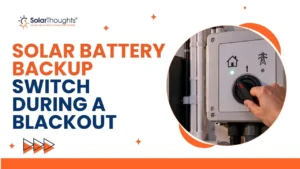
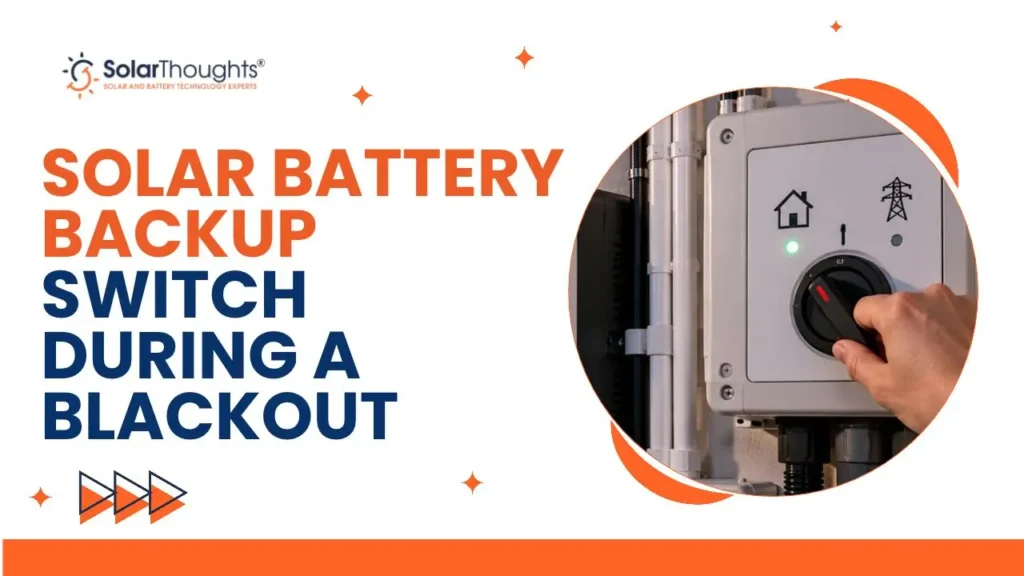
A solar battery backup switch is a changeover switch on your switchboard that moves your home between grid power and your battery’s backup supply. It’s the control that lets your battery keep your home running when the grid goes down.
The important thing to know is that this switch goes by several names. Depending on your switchboard, it may be labelled a Battery Bypass Switch, an Alternative Switch, or a Main Switch (Alternative). The label differs, but the job is the same, and on SolarThoughts installs the operating direction is consistent, which we’ll cover next.
Not every solar system has one, and not every battery provides backup. If you’re unsure whether your setup includes backup, our guide on full versus partial home backup explains the options, and your installer can confirm what you have.
How Do You Use Your Battery Backup Switch During a Blackout?
During a blackout, you put the system into Backup Mode by turning the backup switch UP. That tells your system to run your home from the battery instead of the grid. The steps below walk you through it safely.
- Check it’s safe. Make sure the switchboard is dry, accessible, and undamaged before you touch anything.
- Find the right switch. Look for the switch labelled Battery Bypass Switch, Alternative Switch, or Main Switch (Alternative).
- Turn it UP. Moving the switch to the UP position places the system into Backup Mode and starts running your home on stored power.
- Confirm power returns. Your backed-up circuits should come back on shortly. If nothing happens, see the troubleshooting section below.
That’s the whole operation. It’s designed to be simple, because a blackout is stressful enough without a complicated procedure. How long your battery lasts then depends on its size and your usage, which our guide on how long a solar battery lasts at night covers.
How Do You Return to Grid Mode After Power Is Restored?
Once mains power comes back, you return to normal operation by turning the backup switch DOWN into Grid Mode. This hands supply back to the grid and lets your battery go back to its normal job of storing your solar.
There’s no rush to do this the instant power returns, but we recommend switching back once the grid is stable so your system runs as designed. Your battery will then recharge from your panels during the day, ready for the next outage. If your system is set to charge from the grid at cheap times too, our guide on the Fronius GEN24 for blackout prep and battery charging explains how that works.
If you ever need to shut the system down rather than switch modes, that’s a different procedure, covered in our guide on how to turn off solar panels safely.
Why Is Your Backup Switch Labelled Differently?
Your backup switch may be labelled differently because switchboards and installers use different naming conventions for the same device. The most common labels are Battery Bypass Switch, Alternative Switch, and Main Switch (Alternative).
This is simply a matter of wording, not function. In every case the switch performs the same changeover between grid and backup supply. Because the label can vary, the golden rule is to always read and follow the label on your own switchboard rather than assume. On SolarThoughts installations the direction is consistent, with UP for backup and DOWN for grid, but if your board is marked differently, trust the markings in front of you.
If you’ve recently added storage and aren’t sure how your board is set up, our guide on adding a battery to an existing solar system covers what changes during a retrofit.
Is It Safe to Operate the Backup Switch Yourself?
Yes, operating the labelled backup switch is safe for a homeowner, as long as you do it sensibly. The switch is designed to be used by you, which is why it’s clearly labelled and accessible on the switchboard.
That said, a few safety rules always apply:
- Only operate the switch if the switchboard is dry and accessible. Never touch a wet or damaged board.
- Don’t force a stiff or damaged switch. If it won’t move easily, stop and call your installer.
- Operate only the labelled switch. This is a guide for the backup changeover switch, not for other breakers or components.
- Follow any generator warning label exactly. If your board has one, obey it before connecting or operating a generator.
- If in doubt, call a licensed electrician. When anything is unclear, get a professional rather than guessing.
These rules keep a simple task simple. The switch is built for exactly this, so used as intended it’s a safe, everyday part of owning a battery.
Quick Reference: Which Way for Backup vs Grid?
When the pressure’s on, this table is all you need. Save it or print it and keep it near your switchboard.
| Situation | Action | Switch position |
|---|---|---|
| Blackout or mains power outage | Move the backup or alternative switch | UP – Backup Mode |
| Power restored | Return the switch to normal supply | DOWN – Grid Mode |
That really is the whole thing. UP for backup when the grid is down, DOWN for grid once it’s back. For more on how backup behaves across different systems, our guide on using solar during a power outage adds useful context.
What if Your System Doesn’t Supply Backup Power After Switching?
If you’ve turned the switch to Backup Mode and your home still has no power, stop and contact your installer or a licensed electrician. A battery that doesn’t deliver backup when switched points to a setup or fault issue that needs a professional.
A few things can cause it. Your battery may be flat after a long outage, the backup may be configured for essential circuits only rather than the whole home, or there may be a fault in the system. Our guide on full versus partial home backup explains why only some circuits may be live. Whatever the cause, forcing switches or poking around the board isn’t the answer. Our solar repairs and maintenance team can diagnose it safely.
Having a reliable backup setup in the first place matters here. If you’re still choosing a system, our guide on the best solar battery backup system for home and our smart solar battery backup overview help you get it right.
Want to be sure your backup is set up and working before the next storm? Book a backup check with SolarThoughts and we’ll confirm your system is blackout-ready.
Does Every Solar Battery Have a Backup Switch?
No, not every solar battery provides blackout backup, and not every system has a manual changeover switch. Whether yours does depends on how your battery and inverter were set up.
Some batteries are configured for backup and include a changeover switch like the one in this guide, while others are set up only to store solar for self-consumption and won’t power your home in an outage. The difference comes down to the inverter, the wiring, and the backup design chosen at installation. If you’re not sure which you have, it’s worth confirming before a blackout tests it for you. Our guide on choosing a battery backup system explains the distinction.
Common Mistakes to Avoid
Guessing the switch direction during a blackout. Learn it in advance, and always follow the label on your own board rather than assume.
Operating a wet or damaged switchboard. If the board isn’t dry, accessible, and sound, don’t touch it. Safety comes first.
Forcing a stiff switch. A switch that won’t move easily is telling you something. Stop and call your installer rather than forcing it.
Assuming your battery provides backup. Not all do. Confirm your system is set up for backup before you rely on it in an outage.
Not switching back to grid mode. Once power is stable, return the switch to Grid Mode so your system runs and recharges as designed.
Frequently Asked Questions
How do I use my solar battery backup switch in a blackout?
Turn the backup switch UP to Backup Mode to run your home from the battery. Turn it DOWN to Grid Mode once mains power returns.
Which way is backup on the switch?
UP is Backup Mode and DOWN is Grid Mode on SolarThoughts installs. Always follow the label on your own switchboard.
What is a battery bypass switch?
It’s the changeover switch that moves your home between grid power and battery backup. It may also be labelled Alternative Switch or Main Switch (Alternative).
Why is my backup switch called an alternative switch?
Different switchboards use different names for the same device. Alternative Switch, Main Switch (Alternative), and Battery Bypass Switch all do the same job.
Is it safe to operate the backup switch myself?
Yes, as long as the switchboard is dry, accessible, and undamaged, and you operate only the labelled switch. If anything is unclear, call an electrician.
Do I need to switch back to grid mode after a blackout?
Yes. Once mains power is stable, turn the switch DOWN to Grid Mode so your system runs normally and the battery recharges.
My battery didn’t provide power after switching. What’s wrong?
It could be flat, set up for essential circuits only, or faulty. Contact your installer or a licensed electrician rather than forcing switches.
Does every solar battery work in a blackout?
No. Only batteries configured for backup will power your home in an outage. Some store solar for self-consumption only.
Can I run my whole house on backup?
It depends on your setup. Some systems back up the whole home, others only essential circuits. Our full versus partial backup guide explains.
What if the switch is stiff or won’t move?
Don’t force it. A stiff or damaged switch should be checked by your installer or a licensed electrician.
Conclusion
Operating your solar battery backup switch is refreshingly simple once you know the drill. In a blackout, turn the switch UP for Backup Mode and let your battery run the home. When the grid returns, turn it DOWN for Grid Mode and let the system recharge for next time.
The only rules that matter are to operate the switch only when the board is dry and safe, to follow the label on your own switchboard, and to call a professional if anything is stiff, unclear, or not working. Learn it now, keep the quick reference handy, and the next blackout becomes a non-event.
Want to be certain your backup is ready before storm season? Contact SolarThoughts for a backup system check and we’ll make sure your battery keeps your Brisbane home running when the grid can’t.